LuckyWins Mobile Australia: App Status and Browser Experience
 Available in US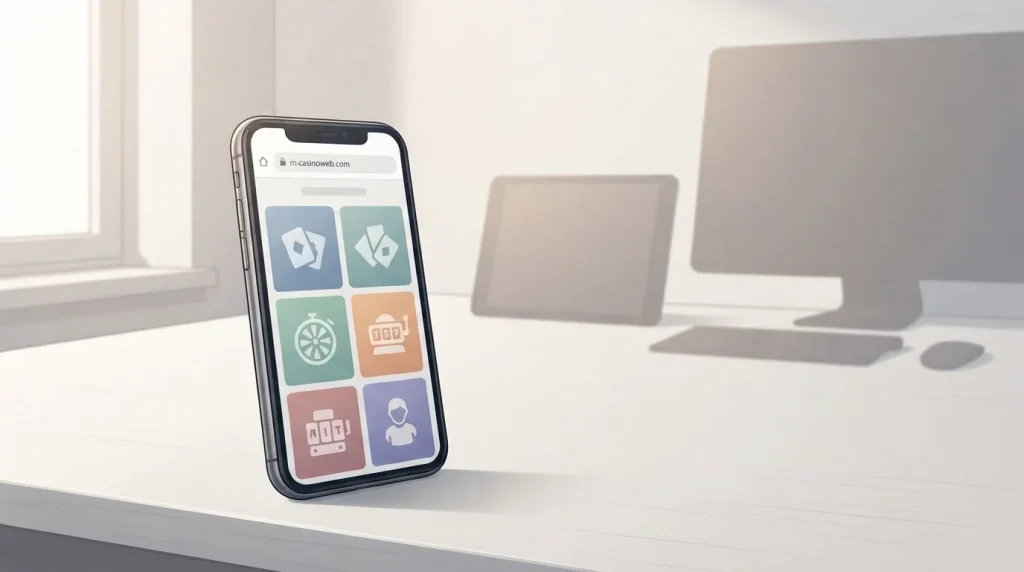
LuckyWins has a mobile-optimised casino website for iPhone, Android, tablets and desktop browsers. The current Australian homepage says players can use pokies, blackjack and live dealer games on mobile. A current official LuckyWins listing for a native real-money casino app was not found in the Apple App Store or Google Play.
The dependable mobile route is therefore the browser. Independent 2026 reviews also describe LuckyWins as browser-based rather than a native iOS or Android download, although some sources call the home-screen version an app or PWA. A mobile website or installable web shortcut is not the same as a native App Store or Google Play application.
Table of Contents
- What is verified about LuckyWins on mobile
- Mobile website, PWA and native app are different products
- Using LuckyWins on iPhone
- Using LuckyWins on Android
- Game access on a phone
- Live casino on mobile
- Deposits and cashier use on mobile
- Registration and login on a smaller screen
- Live chat and support from mobile
- Mobile security matters more than an app icon
- Why browser delivery can be practical
- How to recheck LuckyWins app status
- Practical mobile checklist for Australian users
- Browser access is the dependable LuckyWins mobile option
- LuckyWins Payments Australia: AUD Deposits, Cards, Wallets and Crypto
What is verified about LuckyWins on mobile
The official Australia-facing homepage states that LuckyWins is fully mobile optimised and specifically names iPhone, Android and tablet use. It also says pokies, blackjack and live dealer games can be played across mobile and desktop. That is direct operator evidence for browser support.
LuckyWins also advertises 24/7 live chat support for Australian players. This matters on mobile because a useful casino experience includes account and support functions, not just a responsive game lobby.
What is not verified is a current native app-store product. No current official Apple or Google store listing is cited here, so this page does not claim that a native LuckyWins iOS or Android app exists.
Mobile website, PWA and native app are different products
- Mobile website
- The casino opens in Safari, Chrome or another browser and adapts to a phone-sized screen.
- Web app or PWA shortcut
- A browser-based site can sometimes be added to the home screen and open in an app-like window, while still using web technology underneath.
- Native app
- A separately packaged iOS or Android application distributed through an official store or a verified first-party download channel.
This distinction explains why reviews can sound contradictory. One may call a home-screen shortcut an “app,” while another says there is no app because no native store package exists. For this guide, native app status requires a current official listing or first-party app source.
Using LuckyWins on iPhone
On an iPhone, the verified route is to open the current LuckyWins website in a modern browser and sign in there. The site is designed to adapt to mobile screens, so the same account can be used without a separate native application.
If Safari offers a home-screen shortcut, that can make repeat access faster. Treat it as a browser shortcut unless LuckyWins provides a verified native listing. An icon on the home screen does not by itself prove that an application came from Apple’s App Store.
Bookmark the correct domain after verifying it. Do not rely on similarly named casino apps, unofficial download pages or third-party claims that a package is official.
Using LuckyWins on Android
Android users can follow the same browser-first approach. Open the verified LuckyWins site in Chrome or another current browser, sign in and use the responsive interface. The official Australian page explicitly includes Android in its mobile support statement.
A browser may offer an “install” or “add to home screen” option. That can create a full-screen shortcut, but it should not be confused with a Google Play listing. A current official native LuckyWins casino app is not established by available first-party information.
Avoid sideloading an APK merely because a third-party page labels it official. Without a current first-party source, APK instructions would add risk rather than useful access.
Game access on a phone
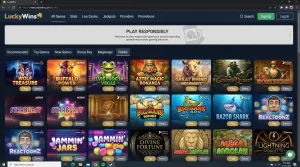
LuckyWins’ official AU page says mobile users can play pokies, blackjack and live dealer games. That establishes category-level mobile support. It does not prove that every title on desktop is available to every Australian user on every device.
Availability can vary by provider, jurisdiction, device capability and the live catalogue. Some provider restrictions are already relevant to Australia elsewhere in the LuckyWins terms, so it would be inaccurate to turn the mobile statement into a claim that the full global library is universally available.
For verified catalogue context and provider limitations, use the LuckyWins games and pokies guide. On mobile, the practical test is whether the title appears in your current lobby and launches cleanly.
Live casino on mobile
Live dealer play is more demanding than a simple slot because it combines streaming video, game controls and table information. LuckyWins includes live dealer games in its mobile-optimised claim, so there is direct support for the category.
Performance still depends on device, browser and connection quality. A stable Wi-Fi connection or strong mobile data can reduce interruptions. If a live stream becomes unstable, stop wagering until the video and controls are clearly synchronized.
Smaller screens can also make table panels harder to read. Landscape orientation may help for some games, but the exact layout is provider-specific.
Deposits and cashier use on mobile
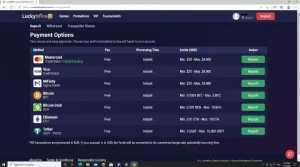
A mobile casino is only practical if account tasks work beyond the game lobby. LuckyWins supports AUD and publishes Australian payment information, so the mobile browser route includes a meaningful cashier path.
When using a phone for deposits, check the method, currency and limits immediately before confirming. A small screen can make it easier to miss a collapsed detail or switch away during bank authentication. Keep the browser session available until the payment flow clearly finishes.
For current deposit methods and AUD limits, use the LuckyWins payments guide rather than duplicating banking details on an app-status page.
Registration and login on a smaller screen
The mobile browser uses the same LuckyWins account rather than a separate mobile identity. Login credentials, balance and profile information should therefore be treated as one account across devices.
A password manager is preferable to repeatedly typing a reused password. If your device supports secure biometric unlock for the password manager, that can reduce typing errors without weakening the underlying credential.
Registration details and verification belong to the account flow, not to native-app availability. The separate LuckyWins registration guide covers account setup and login context.
Live chat and support from mobile
LuckyWins states that 24/7 live chat support is available for Australian players. On a phone, this can be useful when a cashier or game issue appears because you can contact support from the same device where the problem is visible.
Before opening chat, note the transaction time, game round or error message. Avoid sending passwords, full card details or unnecessary identity documents in a generic chat window. If verification documents are required, use the operator’s designated secure process.
If the browser refreshes while chat is open, keep any case or reference number provided so you do not have to reconstruct the issue from the beginning.
Mobile security matters more than an app icon
A native-looking icon can create a false sense of safety. More important checks are the correct LuckyWins domain, a secure browser connection, a current operating system and browser, and unique account credentials.
Public Wi-Fi adds avoidable exposure for account, payment and KYC tasks. Mobile data or a trusted private network is a better choice when handling sensitive information. Screen-lock protection also matters because phones often remain signed in for longer periods.
If identity documents are temporarily downloaded or photographed for KYC, store or delete them according to your device’s security controls once the upload is complete.
Why browser delivery can be practical
A browser-based casino has one clear advantage: updates happen on the server. You do not need to wait for an app-store release to receive a new lobby layout, payment page or terms link. The same current website can also work across iPhone, Android, tablet and desktop.
The trade-off is less operating-system integration than a true native app. Notifications, biometric login and other device-level features depend on how the website or PWA is implemented. A PWA shortcut can feel app-like, but it still should not be described as a verified native app.
For LuckyWins, the evidence supports a mobile-browser conclusion rather than an app-store conclusion.
How to recheck LuckyWins app status
- Check the current LuckyWins website for an official iOS or Android app link.
- Search Apple’s App Store and Google Play for the exact brand name.
- Confirm the publisher or developer identity before trusting a result.
- Do not rely on an icon, APK mirror or affiliate download button as proof of an official app.
- If no current first-party listing can be verified, use the browser version.
This recheck matters because app availability can change faster than a long-form review. The correct status is whatever can be verified from the operator and official stores at the time you look.
Practical mobile checklist for Australian users
- Use the verified LuckyWins domain in a current browser.
- Expect a responsive browser experience on iPhone and Android.
- Do not assume a native app exists because a home-screen install option appears.
- Check the live lobby for device and provider availability.
- Confirm payment limits again before using the mobile cashier.
- Use 24/7 live chat when needed, but keep sensitive credentials out of ordinary support messages.
- Keep the browser, operating system and password manager updated.
Browser access is the dependable LuckyWins mobile option
LuckyWins is verified as mobile-browser friendly for Australian users. The official AU site explicitly supports iPhone, Android and tablet play and names pokies, blackjack and live dealer games as mobile categories. It also advertises 24/7 live chat support.
A current official native iOS or Android app is not established by available first-party information. Several independent 2026 reviews likewise describe LuckyWins as browser-based or as a web app rather than a true native download. Because that status can change, recheck the official site and app stores before relying on any app claim.
For the wider decision, return to the LuckyWins Australia review. The practical mobile answer today is simple: use the browser, verify the domain and treat any home-screen installation as a web shortcut unless an official native listing is confirmed.